Our Mission

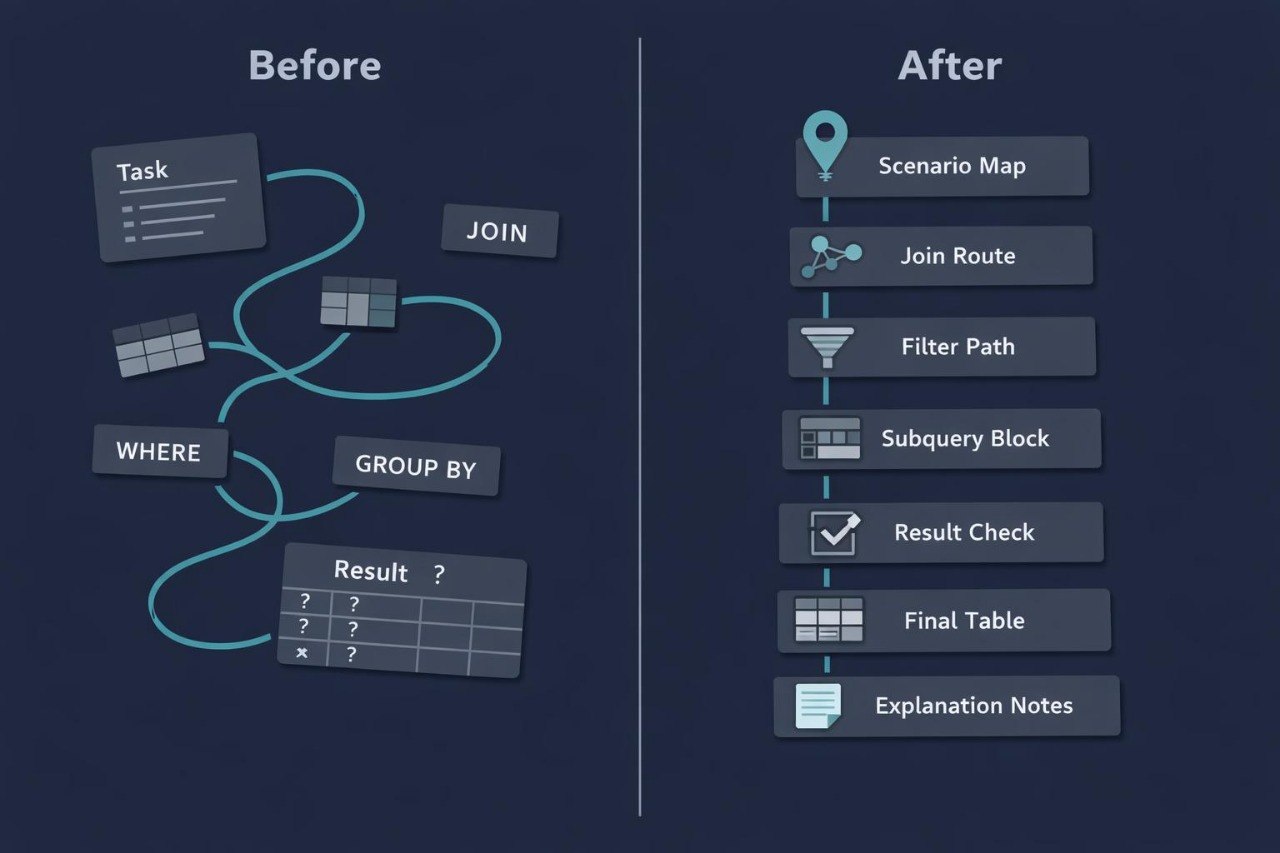
Our mission is to create digital SQL courses that help learners gradually explore tables, filters, relationships, grouping, subqueries, and result review. We focus on downloadable learning materials that can be studied offline and followed at a personal pace.

  • Erika Zuniga

    Erika Zuniga

    Query Flow Editor

    Erika edits learning

    examples and checks the

    logic from the source table

    to the final output. She

    focuses on clean structure,

    clear labels, and sequential

    explanations.

  • Scott Mcintyre

    Scott Mcintyre

    SQL Query Analyst

    Scott works with SQL query

    examples, helping explain

    selection logic, filtering, and

    result ordering. His focus is

    showing how a query moves

    from a table to a readable

    output.

  • Mary Santiago

    Mary Santiago

    SQL Scenario Builder

    Mary creates study scenarios

    where SQL is used with several

    tables, conditions, and

    intermediate results. She helps

    show how a query is formed

    from a question to a summary

    table.

Get Free Kit

Start exploring Rowlyx with free SQL programming study notes. They show how we explain tables, queries, filters, and data logic. The materials are created as a calm introduction to the course format before choosing a full learning set. Get the free study notes and review the basic Rowlyx approach to SQL.

30-days refund guarantee

Try the course risk-free. If you're not satisfied for any reason, get a full refund. No questions asked. Refund requests may be submitted within 30 days in accordance with our Refund Policy.

  • A tablet device shown from the front on a plain white background, with the screen displaying the text 'Slate Framework' over a dark blue circuit-style graphic.
  • A dark gray laptop shown open against a plain white background, with its screen on and displaying a teal and black graphic that reads 'Peak Stage'.
  • A hand holding a black smartphone against a solid white background. The phone screen displays a dark-themed digital interface with a light blue-green box labeled 'Motion Stream'.
  • Jackie Gilmore

    Jackie Gilmore

    Jackie came to Rowlyx with a basic understanding

    of tables, but he found it difficult to read SQL

    queries that used filters and several columns at the

    same time. The most useful part for him was the

    step-by-step format: first the table, then the query,

    then the result, followed by a short explanation of

    the logic.

    “Rowlyx helped me slow down and read each

    query as a set of small decisions, not as one

    confusing block of code.”

  • Evelyn Shepard

    Evelyn Shepard

    Evelyn came in with experience working

    with completed tables, but she wanted to

    better understand how SQL queries create

    summary results. The PDF format was useful

    for her because she could return to modules,

    reread examples, and study offline at

    her own pace.

    “I liked that the materials felt like a workbook

    I could return to whenever I needed to review

    a query concept.”

Look Inside the Learning Routes

Explore the Rowlyx SQL course collection and see how the learning materials are organized. Each course follows its own route, from basic tables and simple queries to JOIN, GROUP BY, subqueries, and result review. This section gives a preview of the topics, module format, and overall approach to explaining SQL. Select Preview Courses to view the available learning options.

  • GitHub logo with a black circle and white silhouette of a cat.
  • LinkedIn logo on a white background
  • Black circle with a white 'M' in the center

How We Shaped Rowlyx

Rowlyx began with a simple idea: to make SQL and databases easier to study for people who want to understand queries, tables, and data logic in a calm learning format. We noticed that many learners do not lack interest; they need sequential explanations where each topic naturally connects to the next one.

  • A stylized isometric vector illustration of a dark gray cylindrical server rack or database tower with teal-colored interface panels and small connector ports, isolated on a white background.

    Query Logic

    The course helps

    learners view an SQL

    query as a sequence of

    actions, from choosing

    a table to reading the

    result.

  • A minimalist digital vector illustration showing a central teal sphere connected to four rectangular device icons arranged in a cross pattern, on a solid white background.

    Data Practice

    The materials include

    examples, exercises,

    and study scenarios

    for working with

    tables, conditions,

    and joins.

  • A stylized digital icon showing overlapping dark rounded rectangles with charts, graphs, and teal circular elements on a light gray background.

    Offline Study

    PDF courses can

    be downloaded

    after purchase

    and studied without

    a constant internet

    connection.

  • A flat vector-style illustration of a document or checklist with a magnifying glass over it, shown on a plain white background.

    Result Review

    Dedicated sections

    explain how to check

    SQL output, notice

    issues, and better

    understand query

    logic.